
INSIDE SAM4
SAM4 product tour
SAM4 helps your team understand what needs attention and what to do next. It combines continuous monitoring with Samotics’ diagnostic expertise to provide clear maintenance recommendations. Your team brings the plant knowledge and decides how to act, with supporting evidence available when needed.
Illustrative SAM4 views rebuilt for clarity. Names, identifiers and selected activity examples are fictional. Screens show separate examples, not one continuous incident. Expand any screenshot to inspect the complete view.
01 / Fleet overview
See where attention is needed.
Start with open findings across your sites. Check their status and urgency, then use your knowledge of the plant to decide what comes first.
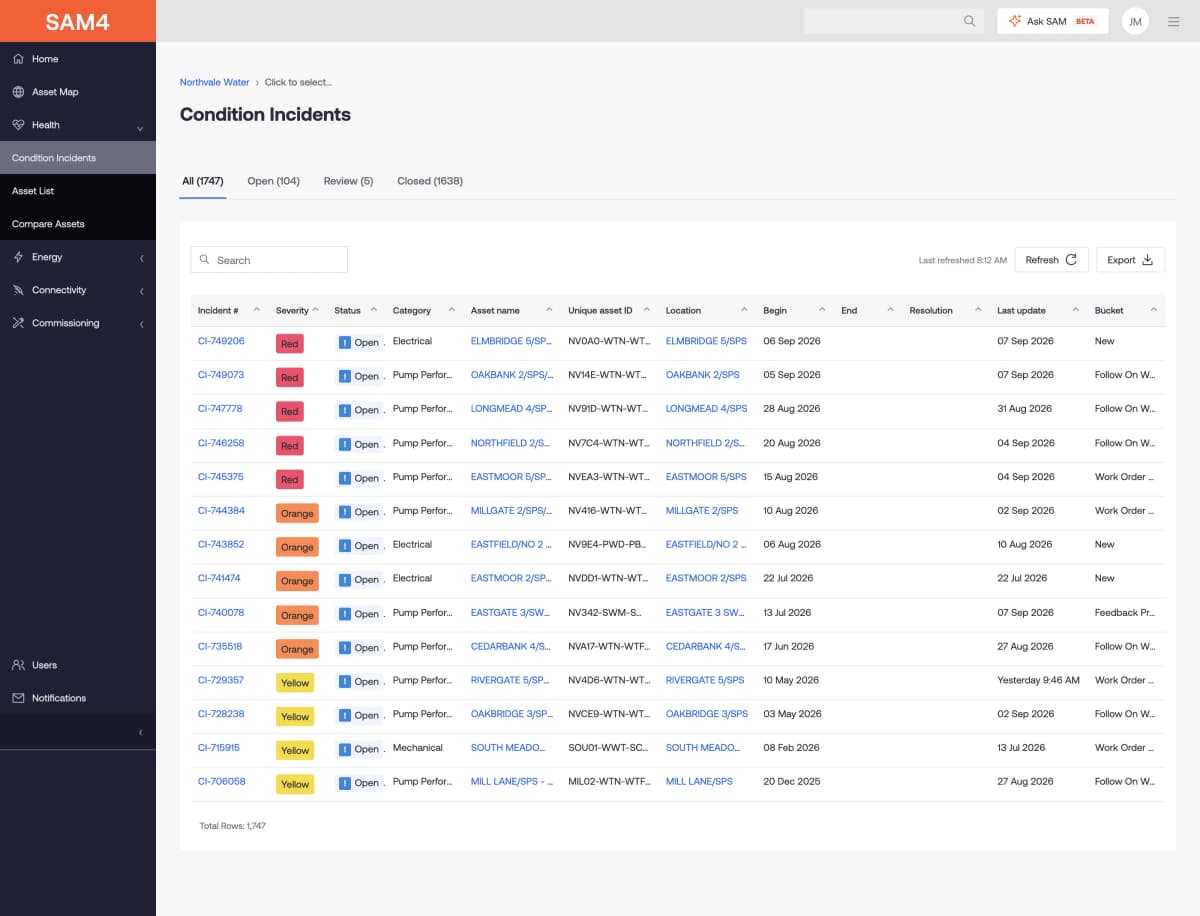
Start with the findings that need review.
See each open finding, the asset involved and its fault type. Check how urgent it is, what has changed and whether follow-up work is still open.
Put each finding in its fleet context.
Find the equipment behind the finding. Names, sites, asset types and health status help your team locate the right machine, even when it is part of a large fleet.
Keep the wider condition picture in view.
See a summary of fleet health and a list of assets that need attention. Start here to get the wider picture, then open a machine or finding for a closer look.
02 / Asset health
Understand the machine behind the alert.
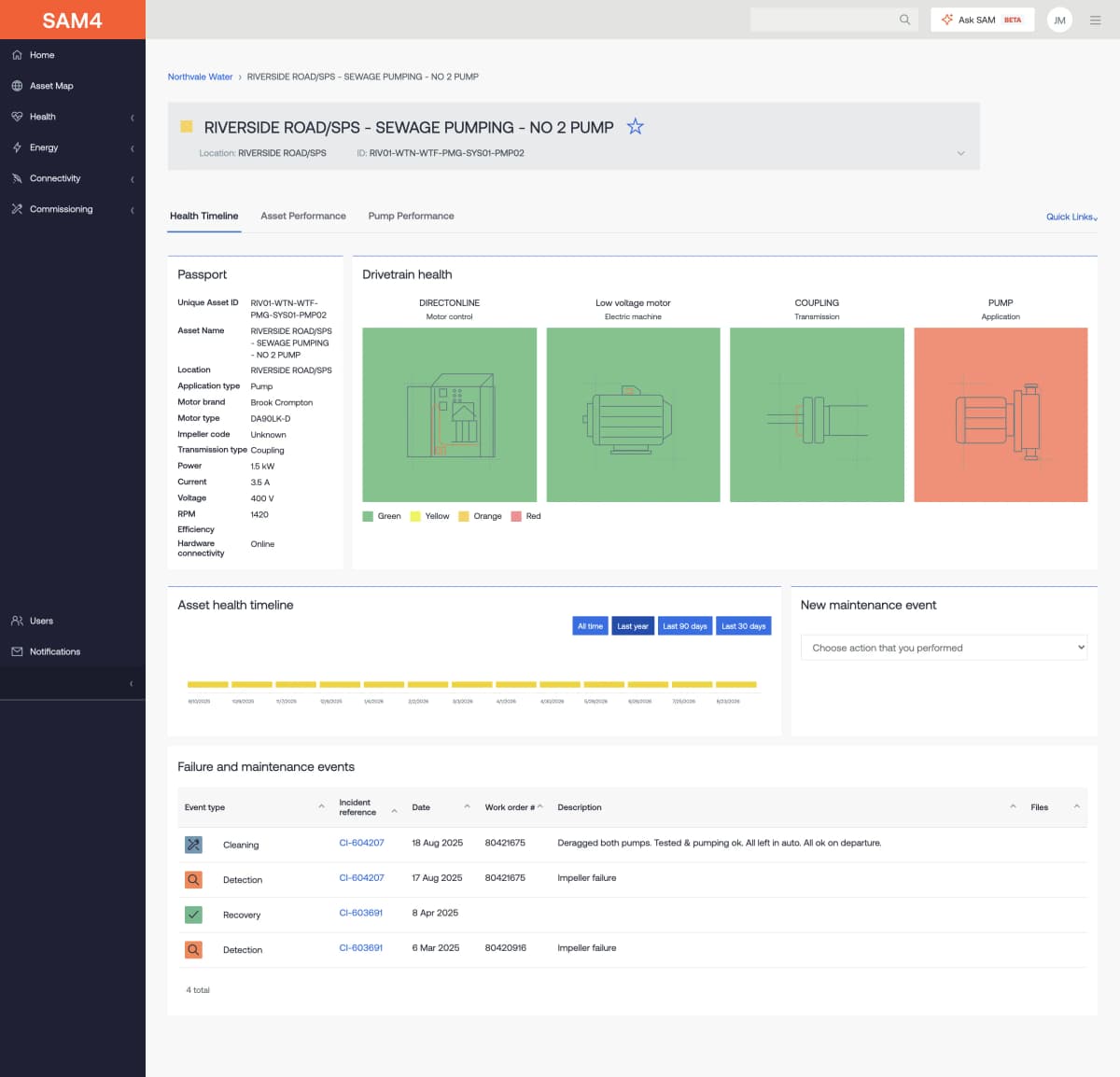
Open the asset passport, drivetrain view and health history. See which part of the system needs review, alongside the machine details your team needs.
Trace the finding through the pump system.
See the motor control, motor, drive and pump as parts of one system. The health timeline and event list show how the status has changed over time.
Review a compressor in its operating context.
See the compressor’s motor details, drive and health record in one place. Use the timeline to check when its health status changed and what the site knew at that point.
Keep past work beside the current condition.
Keep past detections and site work beside the current health state. Review what was found and what was done before choosing the next check.
Locate the concern along the fan drivetrain.
View the motor, belt drive and fan together. The event list adds the recorded fault assessment and notes from past work on this machine.
Bring the mixer and its drive into view.
The passport identifies the motor and gearbox. Beside it, the drivetrain view shows the health state of each part, with a timeline to put changes in context.
Read the condition alongside the repair history.
The ball-mill record brings the motor and gearbox details together with past findings and site work. Read what the team checked, repaired or replaced while the case was open.
Follow condition across a conveyor drive.
See the conveyor’s motor, gearbox and driven asset together. The timeline and event record give the site team a shared view when discussing a fault.
Keep less familiar equipment in context.
This thin-film evaporator has the same passport, drivetrain and event views. Its machine details and notes from past work help the team put a new finding in context.
Views depend on the asset configuration, available data and agreed service.
03 / Evidence and maintenance
Follow the finding through to action.
Read the finding, examine trends and frequency spectra, and record what the site finds. Keep the advice from Samotics and the work done by your team together.
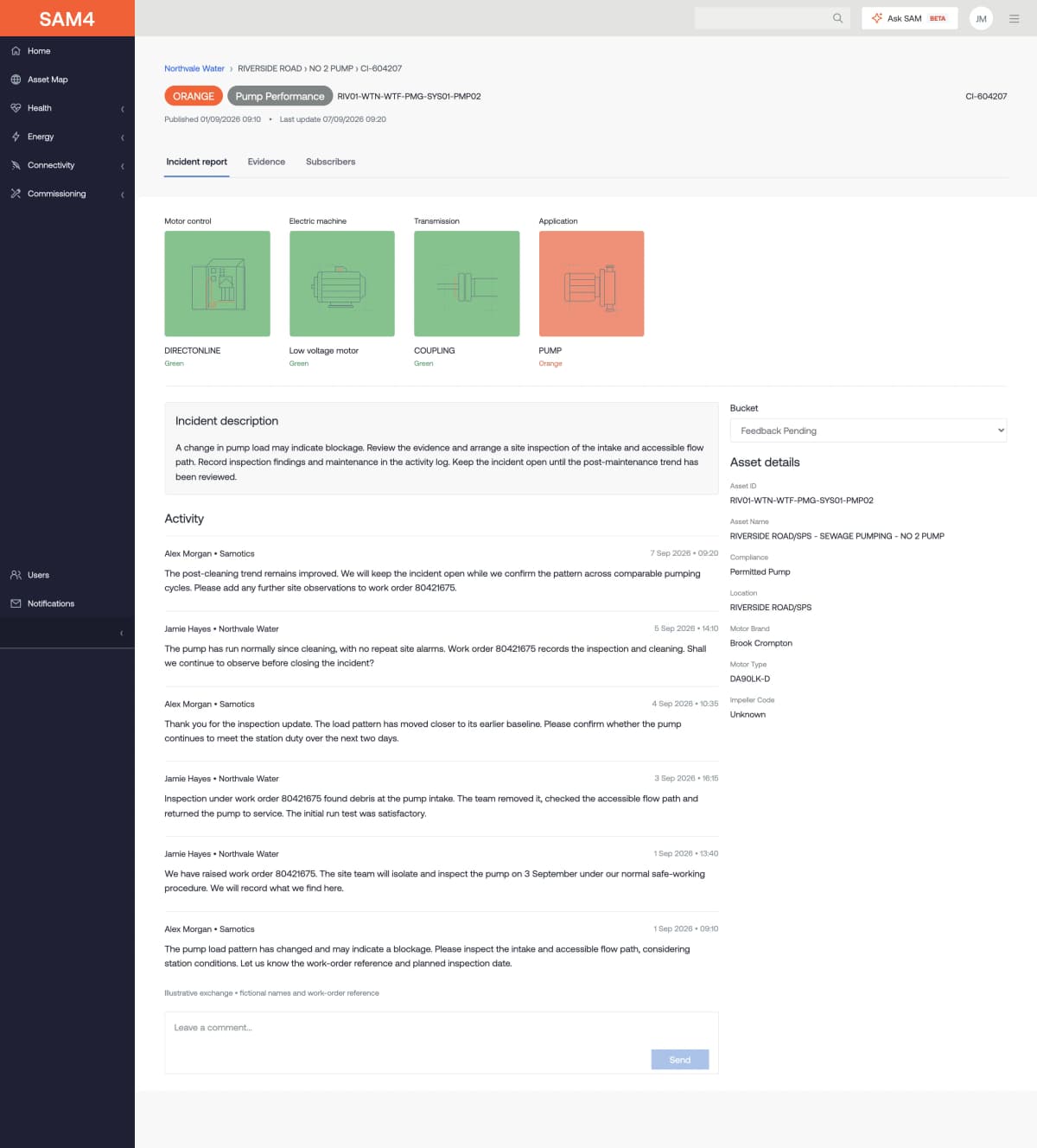
Read what was found and what to check.
The report sets out the finding, the parts involved and the recommended checks. Your team uses this advice alongside its knowledge of the site to choose the response.
Examine the measurements behind the discussion.
See the trends over time, with the start of the incident marked. Compare the data before and after the finding, and discuss changes with Samotics.
Compare frequency measurements.
Compare two measurements in the SAM4 evidence view. This illustrative comparison is a separate example from the pump incident shown elsewhere in this tour.
Keep the site’s response with the incident.
Keep site comments, work references and inspection findings with the case. Compare later changes in the data with what the team found and the work it carried out.
04 / Asset performance
See how the equipment is running.
Use runtime, load and electrical trends to understand how each asset runs. Check changes against the duty your plant needs it to perform.

Review the pump’s running pattern and load.
Check running hours, current, voltage and load in one view. Look at the pattern over time and ask whether the pump is running as your plant needs it to.
Put a change in load into context.
See how long the compressor runs and how its load changes. Current, voltage and load trends help your team check whether a shift in duty explains the change.
Compare equipment over the same period.
Select assets and a shared time range to view their trends. Check size, setup and duty before drawing conclusions about why two machines behave differently.
05 / Energy and pump performance
Find where energy deserves a closer look.
Move from fleet energy use to drive train losses and pump duty. Review energy performance across the drive train and use the estimates to identify where a site review could be worthwhile.

Compare energy use and estimated savings potential.
See how much energy each station uses and its estimated scope for savings. High use does not itself mean high waste. Check both before choosing where to look next.
Inspect estimated losses across the drive train.
Review energy use and the estimated supply and motor losses shown for this compressor drive train. Use the timeline and operating conditions to decide where a closer check is needed. Driven-equipment losses are not quantified in this example.
Compare the operating point with the pump curve.
Where pump data is available, see the estimated duty point against the pump curve. Check whether the observed flow and head fit the duty required at the site.
Savings potential and operating points are estimates for assessment, not verified savings.
06 / Connectivity and commissioning
Keep gaps in monitoring visible.
Useful insights depend on good data. Check for gaps and open issues so your team knows which assets need a closer look.
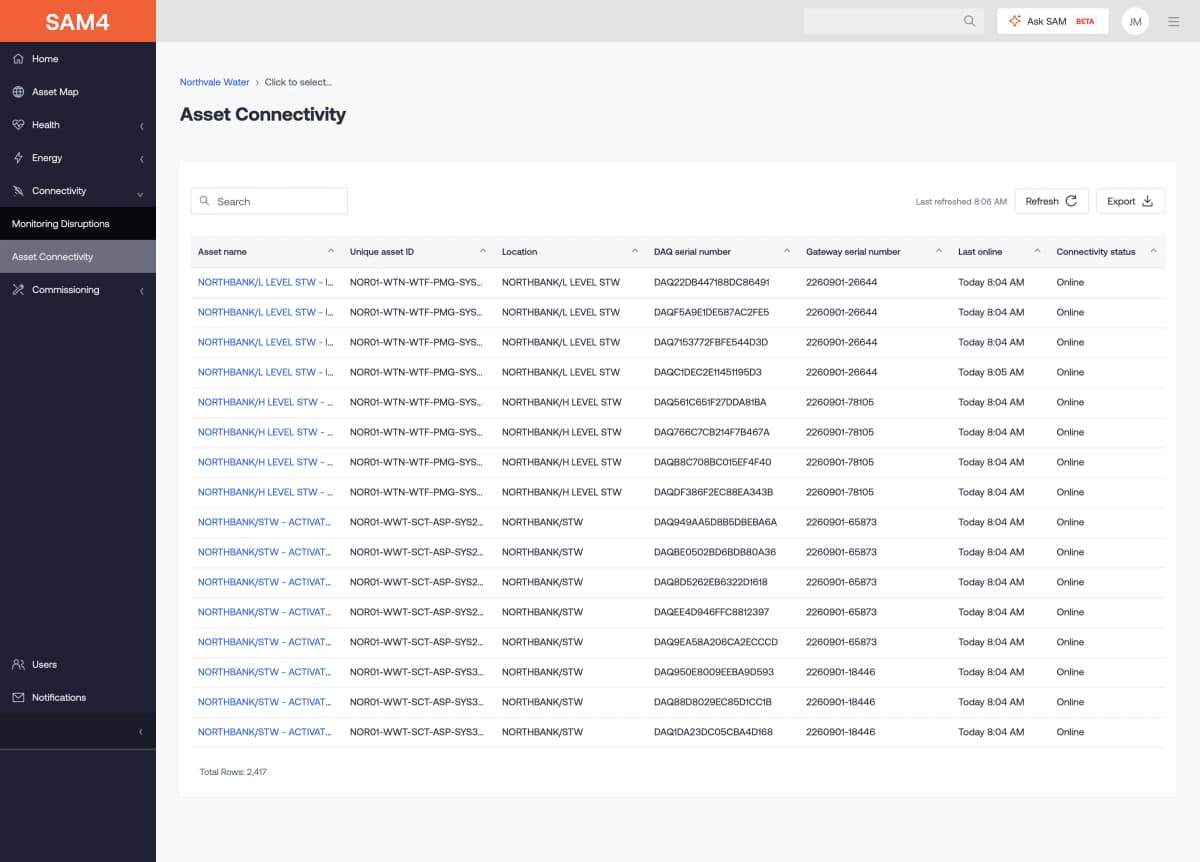
Check which assets are sending data.
See the asset, its connected hardware, its latest message and its connection status. Check for a gap in data before drawing conclusions from a quiet health record.
Review interruptions to monitoring.
Find hardware and connection issues, with the site, status and affected assets beside them. Open the case to see what needs to be checked.
Track installation issues through to resolution.
Track open checks for issues such as missing voltage or current imbalance. Keep each item in view while the wiring, sensors or setup are checked.
Explore the views for your equipment.
Bring your asset types and maintenance questions. Walk through the relevant SAM4 views with a Samotics engineer.