
Installation
Installing SAM4 in the electrical cabinet
SAM4 uses split-core current transformers and voltage measurement connections inside the motor control cabinet. Installation typically takes under 60 minutes per asset once safe access and site approval are in place. Voltage connections require a short de-energisation at the cabinet.
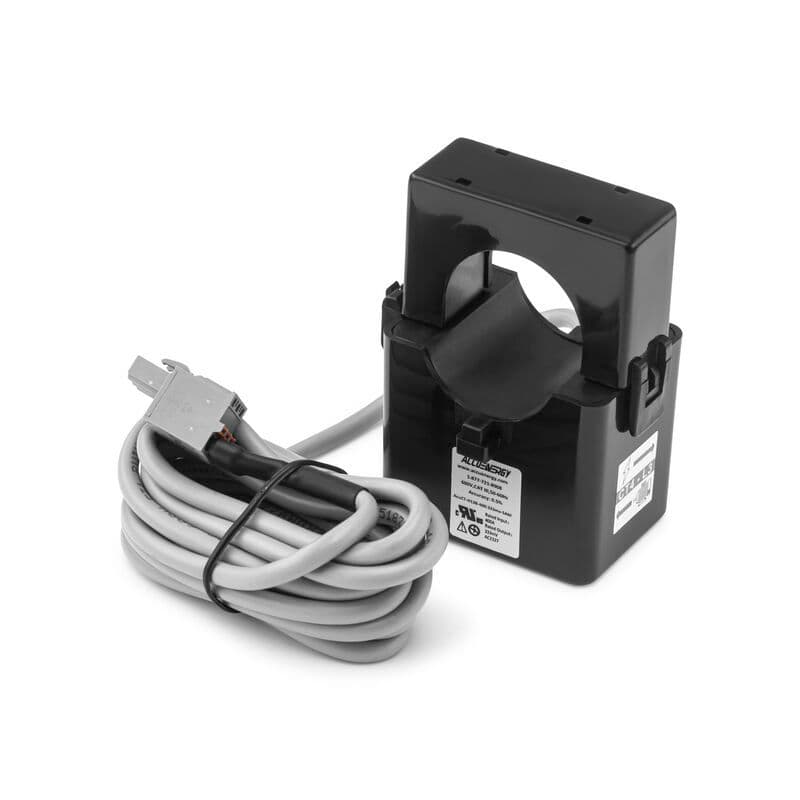
What you need
Most installations require three things: safe access to the motor control cabinet, qualified electrical personnel, and an outbound data connection.
MCC access
Measurement hardware is installed inside the motor control cabinet. Current transformers fit around the motor supply cables, and voltage measurement connections capture the motor supply signal.
No sensor on the asset. No cable cutting. No routine access to the machine for ongoing monitoring.
Qualified electrical installer
Your site electrician, E&I contractor, or approved electrical partner can perform the installation using Samotics instructions. Samotics supports remotely throughout commissioning, with partner support available for larger rollouts.
Outbound data connection
SAM4 connects to the platform using cellular, Wi-Fi, or Ethernet, depending on site requirements. Cellular deployment can keep the data path separate from your IT/OT network. Ethernet or Wi-Fi can be used where approved by your security team.
Step-by-step installation
A qualified electrician completes the full install. Five steps. No specialist tooling.
Mount the DAQ
Clip the Data Aquisition Device (DAQ) onto the DIN rail inside the MCC panel. Connect power via PoE. ~5 min.
Attach current transformers
Clip the split-core CTs around each phase conductor. No cable cutting, no terminal disconnection. CTs attach on live cables. ~10 min per motor.
Connect voltage taps
Branch voltage from the motor source through fused terminal blocks. This step requires de-energisation at the MCC. ~5 min.
Connect the network
Plug in the Ethernet cable or insert the 4G SIM. The DAQ auto-registers with the SAM4 cloud. No firewall changes, no VPN configuration. ~5 min.
Configure and verify
Connect a laptop to the DAQ and open the browser-based setup tool. Scan the QR code to link each device to an asset in SAM4. Enter nameplate data (kW, RPM, application type). SAM4 confirms signal quality within hours and begins building a behavioural baseline. No proprietary software required. ~5 min per motor.

Sensor-clip step shown in under four minutes. Full install: 20 to 60 minutes per asset depending on MCC layout.
Connectivity and commissioning
Three uplink options. The right choice depends on your site network policy.
4G/5G cellular (preferred)
Bypasses corporate IT entirely. No firewall changes, no VPN. Insert SIM, confirm signal. Common in water utilities and remote sites.
Ethernet
Standard PoE connection. Uses your existing network infrastructure. Lowest latency, highest throughput.
Wi-Fi
Available where Ethernet and 4G are impractical. Requires local Wi-Fi coverage at the MCC location.
What’s in the box
Every SAM4 deployment ships as a self-contained kit. Your electrician brings: laptop, PPE per site policy, basic hand tools, network/SIM connectivity, and any required permits and asset data.
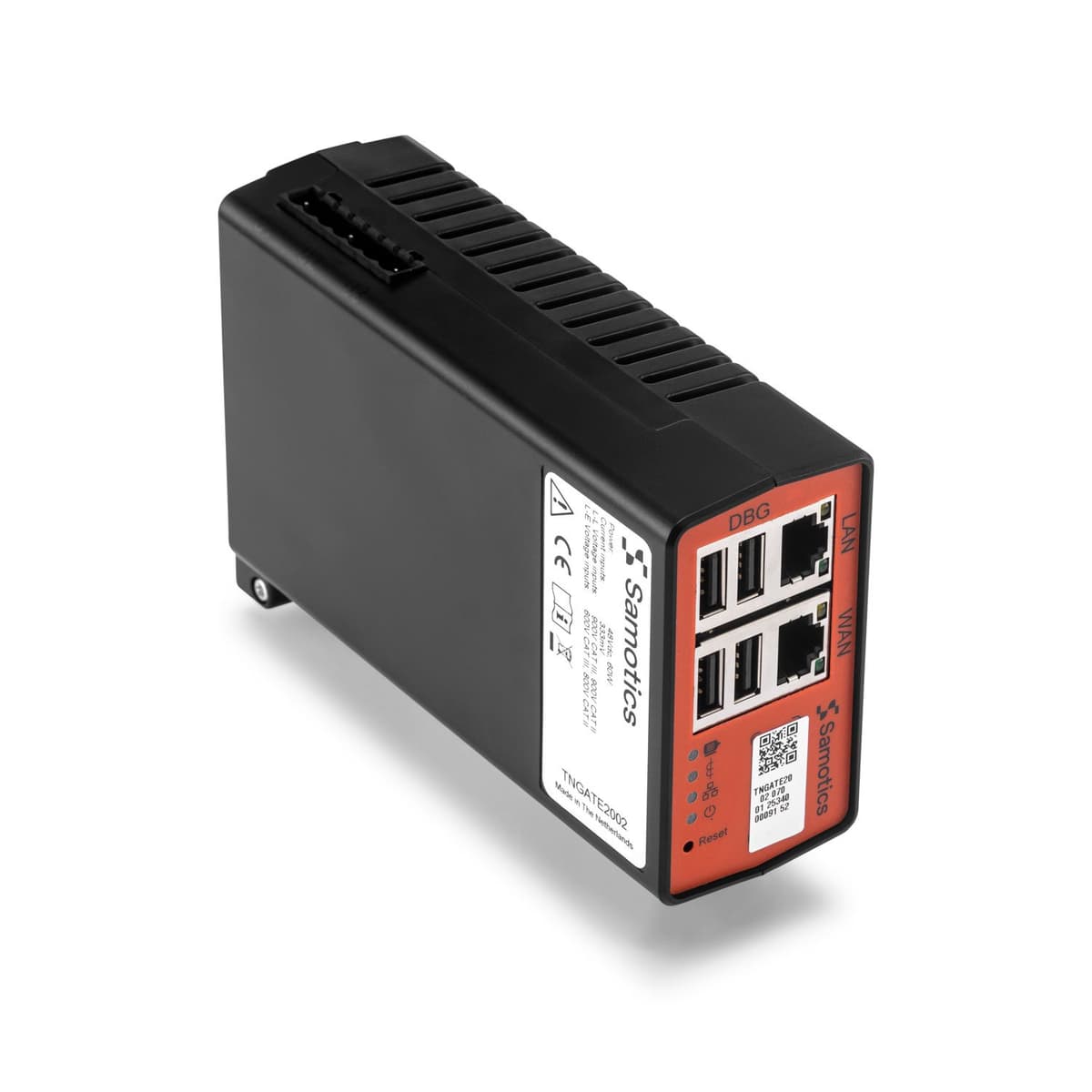
DAQ
DIN-rail mount, IP20
Split-core CTs
3-phase set
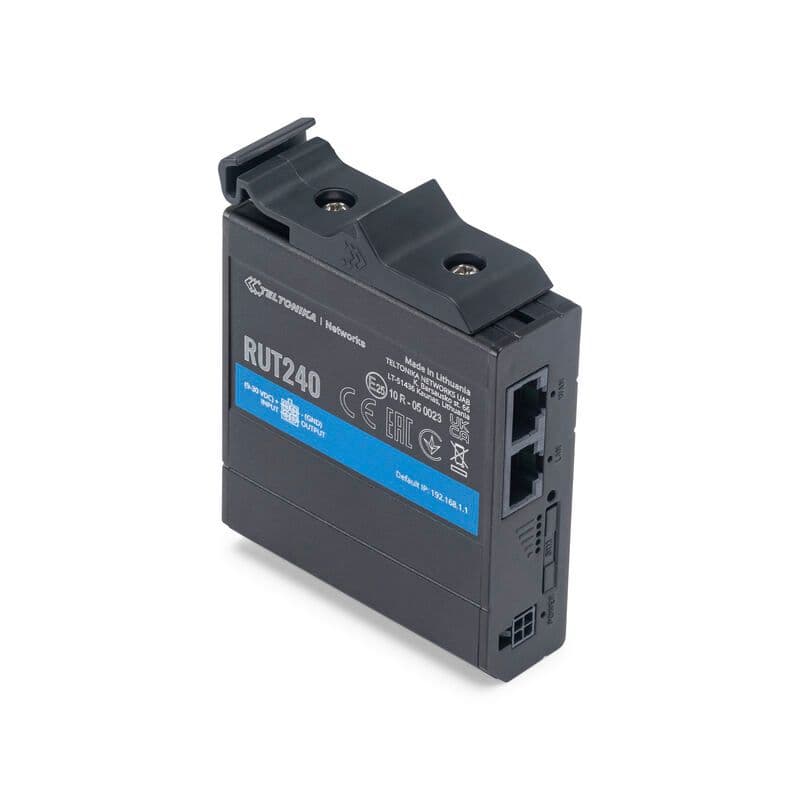
4G cellular router
Teltonika RUT240
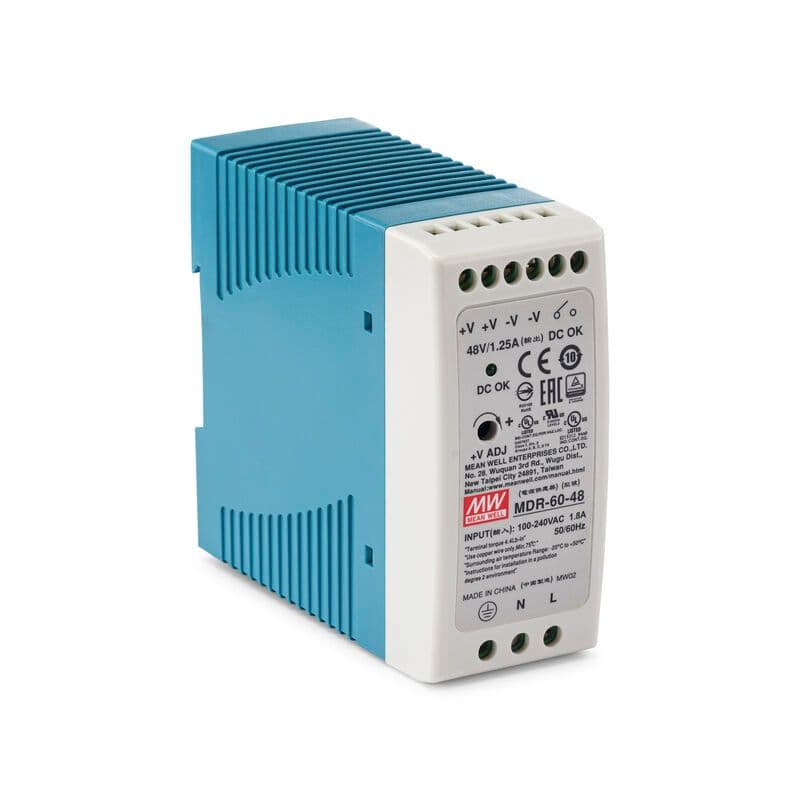
DIN-rail power supply
48V DC
- DAQ (DIN-rail mount, IP20)
- Split-core current transformers, 3-phase
- Voltage taps, 3-phase
- Ethernet cable (5 m)
- 4G antenna and SIM (optional)
- DIN-rail power supply (48 V DC) or PoE
- Quick-start installation guide
DAQ
- Assets per device: 1 (up to 10 DAQ's per gateway)
- Sampling: 24-bit, 20 kSPS, 3-phase I & V
- Connectivity: Ethernet (PoE) / 4G
- LV range: CAT III 900 V L-L (600 V AC L-E)
- MV range: Up to 36 kV (with MV CTs)
- Operating temp: 0 °C to +70 °C
- Certifications: CE, IEC 61010-1, IEC 61326-1, RoHS
- Dimensions: 22.5 × 107 × 120 mm
- PoE class: IEEE 802.3af Class 1
- Max altitude: 2,000 m above sea level
What happens after SAM4 goes live
After installation, SAM4 starts collecting current and voltage data, builds an operating baseline, and moves into managed monitoring. Reliability engineers review ambiguous or high-impact detections before your team is notified.
Build the operating baseline
SAM4 learns how the asset behaves across normal load, speed, and operating conditions. The baseline period depends on runtime, load variation, and duty cycle.
Typical range2 days to 2 weeks
Start validated monitoring
SAM4 detects deviations from normal behaviour and known fault patterns. Ambiguous or edge-case findings are reviewed by Samotics reliability engineers before they reach your team.
You receiveValidated alerts with fault type, severity, evidence, and recommended action
Improve context and prioritisation
As more data accumulates, SAM4 builds stronger asset context: operating patterns, recurring deviations, fleet comparisons, and resolved work-order feedback.
You receiveBetter trend context, fleet health reporting, and quantified avoided-cost evidence where available
Hardware maintenance is minimal. The NOVAQ has no moving parts and no batteries. If a device fails, Samotics ships a swap unit with remote support during recommissioning. No specialist Samotics site visit required for a standard swap.
Installation differences: cabinet-based ESA vs asset-mounted vibration
Vibration monitoring usually requires a sensor mounted on or near the machine. ESA measures current and voltage at the motor control cabinet, so ongoing monitoring does not require routine access to the asset. Vibration remains valuable for accessible, high-criticality machines. ESA is often easier to deploy on submerged, enclosed, hazardous, remote, or distributed assets.
| Installation factor | SAM4 / ESA | Asset-mounted vibration |
|---|---|---|
| Measurement point | Motor control cabinet | Machine casing, bearing housing, or nearby structure |
| Access to asset | Not required for ongoing monitoring | Usually required for sensor placement and maintenance |
| Installation work | Cabinet-installed current and voltage measurement hardware | Sensor mounting, cabling or wireless setup, gateway commissioning |
| Shutdown requirement | Usually a short planned cabinet intervention; site-dependent | Often requires asset access and sometimes process downtime |
| Connectivity | Cellular, Ethernet, or Wi-Fi from the cabinet | Wireless gateways, mesh networks, or cabled infrastructure |
| Install time per asset | Typically under 60 minutes | Often longer, depending on access, mounting, cabling, and commissioning |
| Ongoing maintenance | Minimal hardware maintenance; no moving parts or batteries in the SAM4 device | Battery replacement, sensor checks, mounting issues, recalibration, or gateway maintenance |
| Best fit | Hard-to-reach or distributed motor-driven assets | Accessible critical machines where local vibration data is valuable |
“Because SAM4 installs inside the motor control cabinet, we were able to deploy it across a large number of assets at minimal cost. No scaffolding, no production shutdowns.”
Plan your SAM4 installation
Book a 30-minute walkthrough. We show the hardware, the install process, and results from sites like yours.